
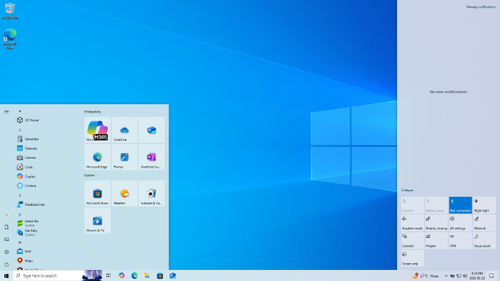
VirtualBox does not run or runs slowly under Windows 8
February 4, 2013
· admin
Windows
Windows 8
Virtual Box
Windows 8 comes with Hyper-V pre-installed. If you want to run Virtual Box, you must completely uninstall Hyper-V through the "Add and Remove Programs" option from the Control Panel. Failing doing so will result in:
Cannot reach 110 Celsius with a Prusa PCB Heated Bed Mk 1
December 2, 2012
· admin
3D Printing
Prusa Mendel
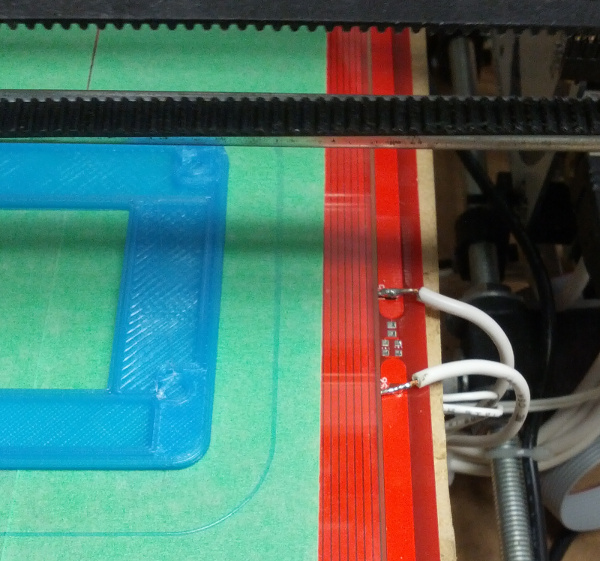
I was not able to reach 110 Celsius with a Prusa PCB Header Bed MK1. My initial installation was with the PCB traces down with a borosilicate glass on top of it. I found out that installing it with the traces up as show below resolved the issue. Nevertheless, the thermistor does not read the real printing area temperature since it is underneath the PCB. There is a 15 Celsius offset and the glass is slightly offsetted. These are small inconveniences. The bed is getting hot pretty fast and is able to reach 110 Celsius.
G-Code commands supported by Marlin
November 29, 2012
· admin
3D Printing
GCode
Marlin
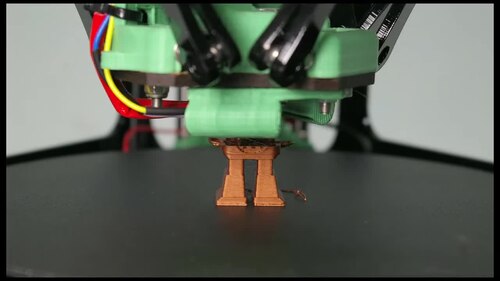
The G-Code commands supported by Marlin 3D printing firmware are:

Enable the TRIM command on Mountain Lion for SSD drives
November 3, 2012
· admin
Mountain Lion
MAC OS X
To know if TRIM is enabled for a particular drive, open "System Profiler" and search for the "TRIM enable" information in the "Serial ATA sub-tree".
If TRIM is not enabled, the easiest way to enable it is to:
Building a Prusa Mendel Iteration 2 3D Printer
October 4, 2012
· admin
3D Printing
It is not obvious to choose and get a 3D printer. There is quite a lot a choices on the market which can be divided in two categories: pre-assembled and kits. Pre-assembled printers are expensive. Kits can be a quite a challenge to assemble as per many testimonials on the web.
I was fortunate enough to attend a 3D printer building workshop given by Voxel Factory. Each participant build his own fully functionnal Prusa Mendel 3D printer in a week-end! Yes, in two days not weeks. Since then, I have printed not only bunnies (I have printed one!) but useful pieces such as filament holders, Raspberry PI plate, Raspberry PI cases, Arduino cases, Dremel tool holders, etc.
If you decide to assemble your own 3D printer, it worth doing it with someone who has experience. 3D printing needs some know how and experience. Expect to see my tricks and tips posted on this blog.
Ralink RT5572 based WiFi Usb Dongle setup on Ubuntu 12.04
September 3, 2012
· admin
Ubuntu 11.10
Ubuntu 11.04
Ubuntu
Linux
WiFI
Ubuntu 12.04
RT5572
Ralink
The WiFi USB dongles based on the newest RT5572 chip set do not work out of the box on Ubuntu. Unex DNUR-V72, D-Link DWA-160 Rev B and TP-Link TL-WDN3200 dongles are based on this chipset.
You will need to compile the source code of the driver to make it work. Do not leave this page! This involves only a few easy steps.
1. Save this page's link. You will have to reboot and come back to it.
2. Un-plug the WiFi USB dongle from your computer.
3. Reboot your computer.
4. Download the driver's source code from the manufacturer website. Alternatively, you can download a version of this file from this site. Files have been already edited. Steps 9, 10 and 11 are then unnecessary. Note that the filename is slightly different (DPO\_RT5572\_LinuxSTA\_2.6.0.1\_20120629\_EDITED.tar.bz2.bz2).
5. Open a terminal window.
6. Change to the directory that contains the driver's source code downloaded previously. For example,

2.4 GHz WiFi channels
August 16, 2012
· admin
WiFI
| | |
| --- | --- |
| Channel | Center Frequency (GHz) |
| 1 | 2.412 |
| 2 | 2.417 |
| 3 | 2.422 |
| 4 | 2.427 |
| 5 | 2.432 |
| 6 | 2.437 |
| 7 | 2.442 |
| 8 | 2.447 |
| 9 | 2.452 |
| 10 | 2.457 |
| 11 | 2.462 |
| 12 | 2.467 |
| 13 | 2.472 |
| 14 | 2.484 |
Recording a terminal session under Linux
August 12, 2012
· admin
Ubuntu 11.10
Unix
Ubuntu 11.04
Ubuntu
Linux
Raspberry PI
Wheezy
It is possible to record a terminal session under Linux with ttyrec. It also records vi, emacs, etc. sessions.
Fisrt, install ttyrec

A step by step guide to setup a Bluetooth keyboard and mouse on the Raspberry PI
August 9, 2012
· admin
Linux
Debian
Raspberry PI
Wheezy
A lot of people is having problem setting up a Bluetooth keyboard and mouse on the Raspberry PI. Things get more complicated when your wired keyboard or mouse does not work or prevent your Bluetooth dongle from working. There is hope. This step by step procedure will let you install them or at a minimum let you know what does not work. It uses only the command line interface. It is targeted for the Wheezy Debian distribution.
Initializing A Wireless Connection At Boot Time
August 5, 2012
· admin
Debian
Raspberry PI
Wheezy
You can initialize your Raspberry PI wireless connection automatically at boot time if the instructions given in a previous post entitled How To Setup A Protected Wireless Connection Via The Command-Line worked. This is pretty straight forward. You must be root to carry out these instructions.
Save the wpa.conf file created in the previous post somewhere on the SD card you use to boot the system. For example in /root/bin/wpa.conf.
Create the following script and save it in a file called /root/bin/initWiFi for example