
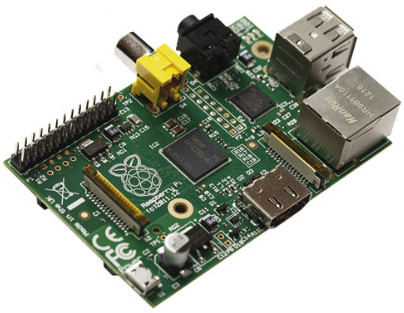
Can a Raspberry PI be used as a firewall?
August 25, 2015
· admin
Raspberry PI
Wheezy
Networking
Can a Raspberry PI be used as a firewall? This question comes back often. Well, I have tested it. The test conditions are:
Cable Hanger for Doors
August 9, 2015
· admin
3D Printing
object
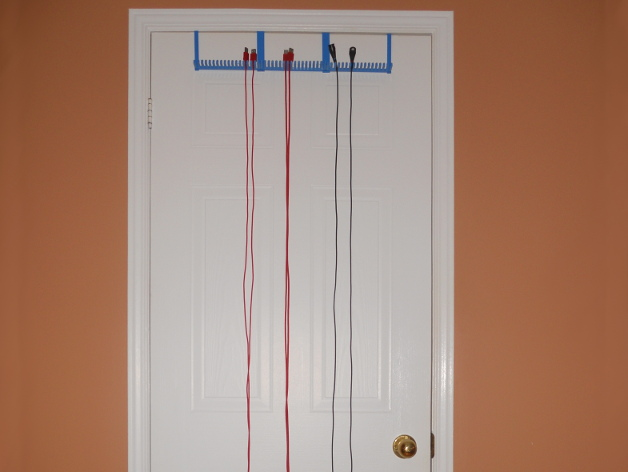
This kit of 3D objects makes a cable hanger to be hooked to a door without screws. It is suitable for 6 feet cables assuming that the door is 80 inches high. Each cable holder section has 18 teeth or 17 grooves. Each groove is 3 cm deep. One cable holder section is 17.5 cm wide. A two mm clearance is required between the door's top and the door frame.
You will need to print a least one "Door Hook Left.stl", one "Door Hook Right.stl" and one "Cable Holder.stl". You can employ more than one "Cable Holder.stl". For each supplementary "Cable Holder.stl" used, you will need to print one "Door Hook Middle.stl".
On the picture, there is:
1 x "Door Hook Left.stl"
1 x "Door Hook Right.stl"
3 x "Cable Holder.stl"
2 x "Door Hook Middle.stl"
Glue may be required to assemble the Cable Hanger together.
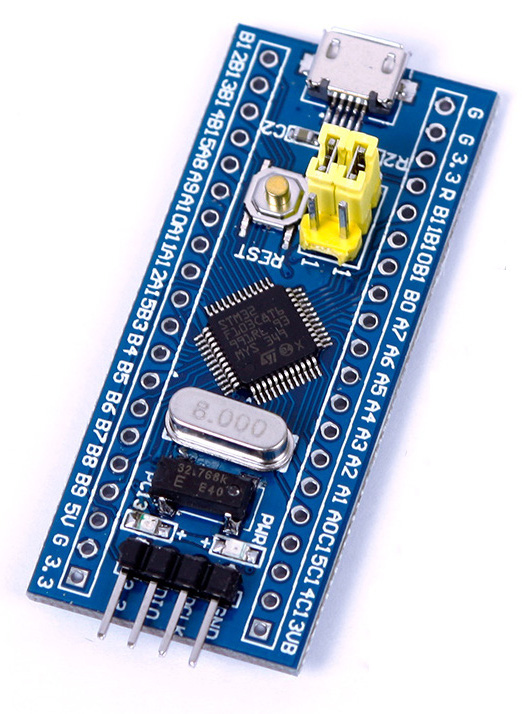
STM32 Minimum System Development Board
July 20, 2015
· admin
Arduino
STM32
This post describes how to upload code to a STM32 Minimum System Development Board that can be bought from Ali Express or eBay for around $4.00 US. You will be able to compile and upload a led blinking program to the board at the end of this guide. This guide is using Arduino\_STM32 by Roger Clark.
You will need:
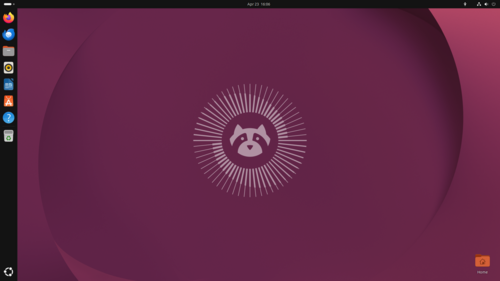
Change the Ubuntu login screen background?
July 13, 2015
· admin
Ubuntu
Ubuntu 12.04
Ubuntu 14.04
Ubuntu 15.04
Changing the login screen background is easy but not obvious. The image file you want to use as the login screen background must have a read access for everyone. Open the image with the Image viewer installed by default. Select the option Set as Wallpaper from the Image menu.
The Appearance option of the Settings will only let you change the desktop background.
Make an Apache2 SSL server more secure
June 3, 2015
· admin
Unix
Ubuntu
Linux
Debian
apache
These easy steps will improve significantly the security of your Apache2 SSL server. Edit your /etc/apache2/mods-enabled/ssl.conf file and replace the SSLProtocol, SSLCipherSuite and SSLHonorCipherOrder parameters with the following values.
SSLCipherSuite ECDHE-RSA-AES128-GCM-SHA256:ECDHE-ECDSA-AES128-GCM-SHA256:ECDHE-RSA-AES256-GCM-SHA384:ECDHE-ECDSA-AES256-GCM-SHA384:DHE-RSA-AES128-GCM-SHA256:DHE-DSS-AES128-GCM-SHA256:kEDH+AESGCM:ECDHE-RSA-AES128-SHA256:ECDHE-ECDSA-AES128-SHA256:ECDHE-RSA-AES128-SHA:ECDHE-ECDSA-AES128-SHA:ECDHE-RSA-AES256-SHA384:ECDHE-ECDSA-AES256-SHA384:ECDHE-RSA-AES256-SHA:ECDHE-ECDSA-AES256-SHA:DHE-RSA-AES128-SHA256:DHE-RSA-AES128-SHA:DHE-DSS-AES128-SHA256:DHE-RSA-AES256-SHA256:DHE-DSS-AES256-SHA:DHE-RSA-AES256-SHA:AES128-GCM-SHA256:AES256-GCM-SHA384:AES128-SHA256:AES256-SHA256:AES128-SHA:AES256-SHA:AES:CAMELLIA:DES-CBC3-SHA:!aNULL:!eNULL:!EXPORT:!DES:!RC4:!MD5:!PSK:!aECDH:!EDH-DSS-DES-CBC3-SHA:!EDH-RSA-DES-CBC3-SHA:!KRB5-DES-CBC3-SHA
SSLHonorCipherOrder on
SSLProtocol all -SSLv2 -SSLv3
Raspberry Pi Model B+ Drilling And Mounting Plates
April 23, 2015
· admin
3D Printing
object
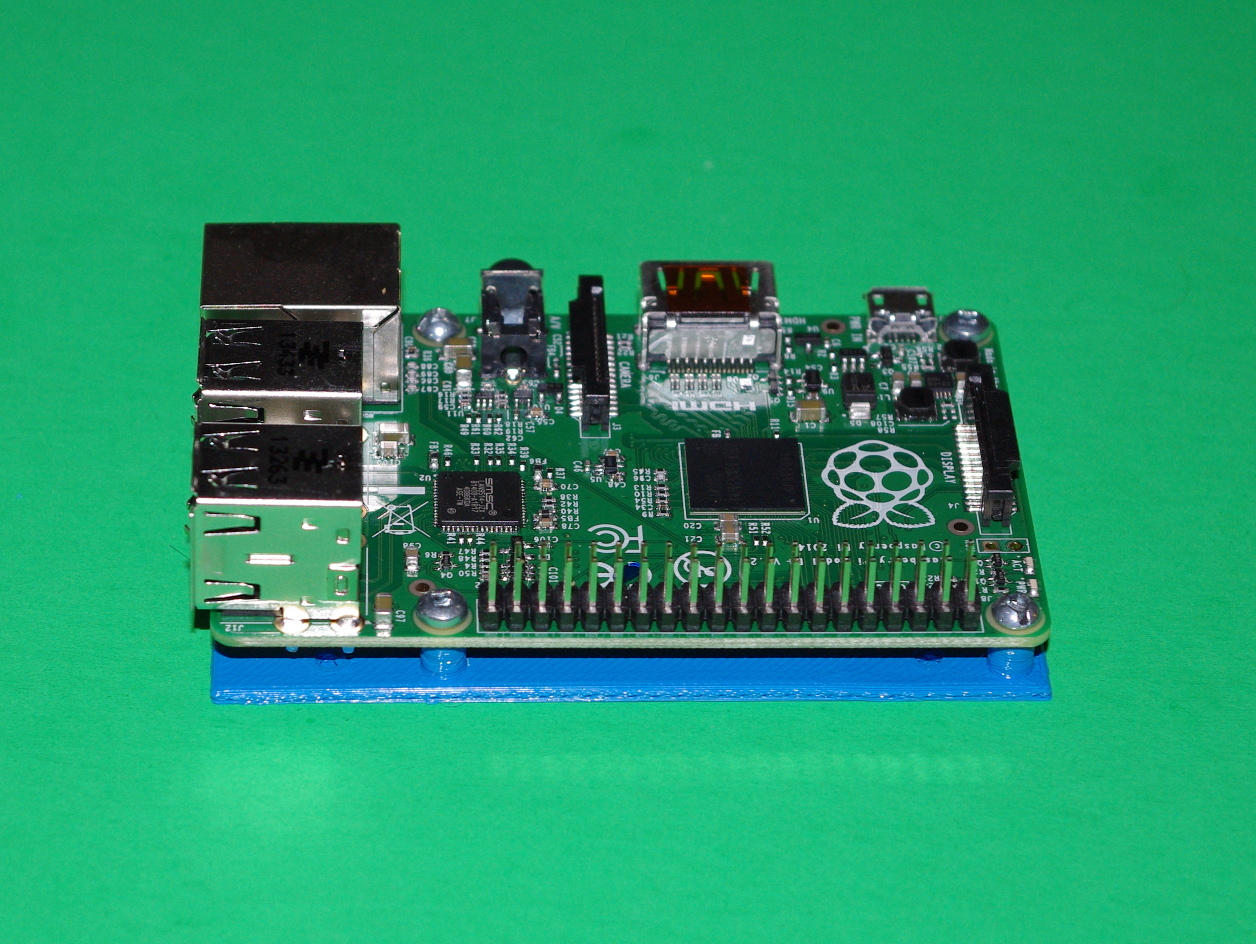
This thing contains a mounting plate and a drilling guide for the “Raspberry Pi Model B+”.
The plates are not symmetrical. The notch shall be on the power jack and ethernet cable side. The base plate is 2 mm thick. M2 5 mm or 1/4″ 4-40 screws are needed to fasten the board to the mounting plate. The mounting holes are three mm in diameter.
The holes do not go through the lower layer to make it easier to print. You will have to drill them.
Raspberry Pi Model B Drilling And Mounting Plates
April 22, 2015
· admin
3D Printing
object
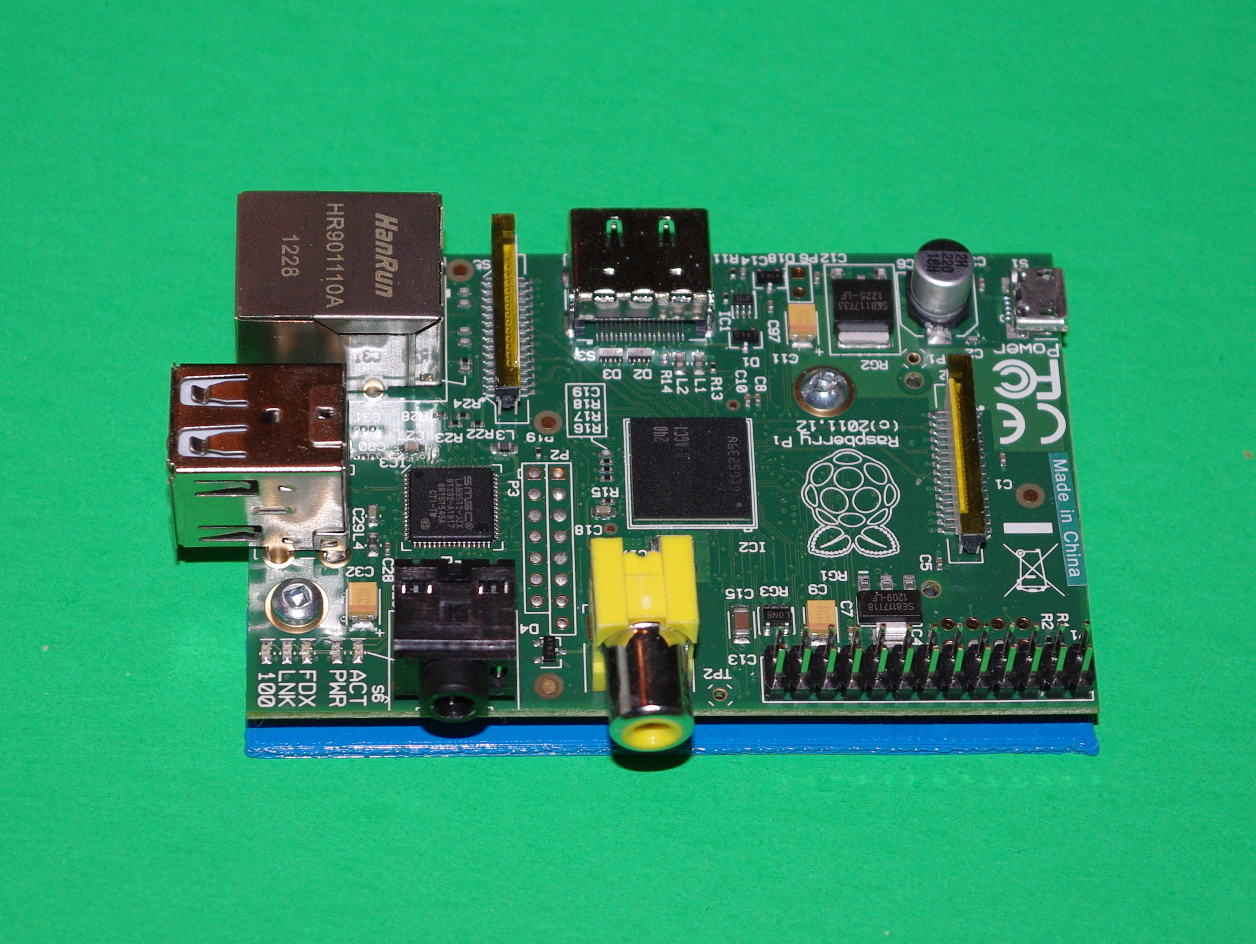
This thing contains a mounting plate and a drilling guide for the “Raspberry Pi Model B”.
The plates are not symmetrical. The notch shall be on the power jack and ethernet cable side. The base plate is 2 mm thick. M2 5 mm or 1/4″ 4-40 screws are needed to fasten the board to the mounting plate. The mounting holes are three mm in diameter.
The holes do not go through the lower layer to make it easier to print. You will have to drill them.
Arduino Mega / Mega 2560 / Due Drilling And Mounting Plates
April 21, 2015
· admin
3D Printing
object
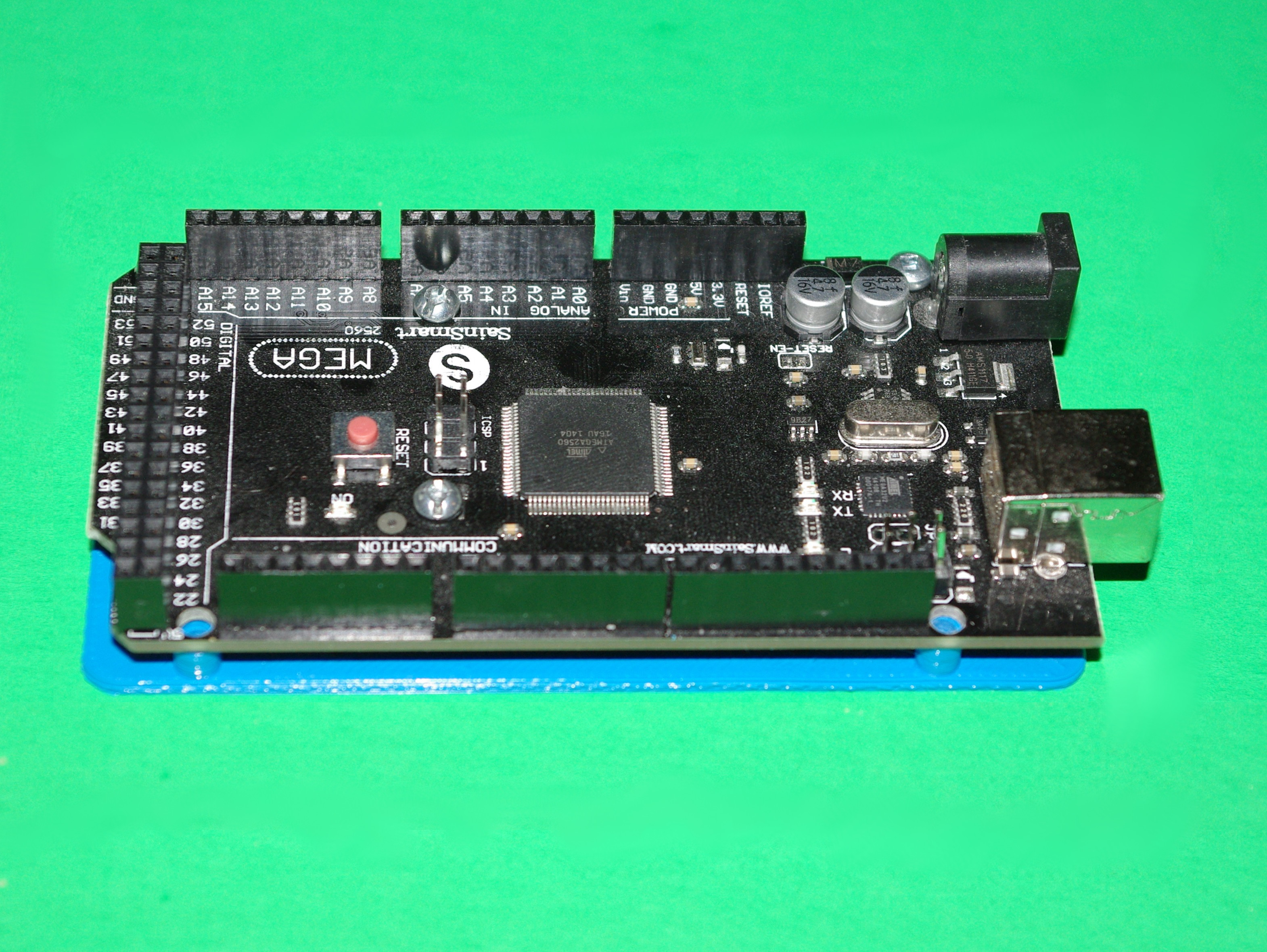
This thing contains a mounting plate and a drilling guide for the “Arduino Mega / Mega 2560 / Due”.
The plates are not symmetrical. The notch shall be on the power jack and ethernet cable side. The base plate is 2 mm thick. M2 5 mm or 1/4″ 4-40 screws are needed to fasten the board to the mounting plate. The mounting holes are three mm in diameter.
The holes do not go through the lower layer to make it easier to print. You will have to drill them.
The post near pins 21-22 on Arduino\_Mega\_Mounting\_Plate.stl is one mm lower. This was needed because of the nearby soldering pads. The V2 version has a 5 mm post like the others.
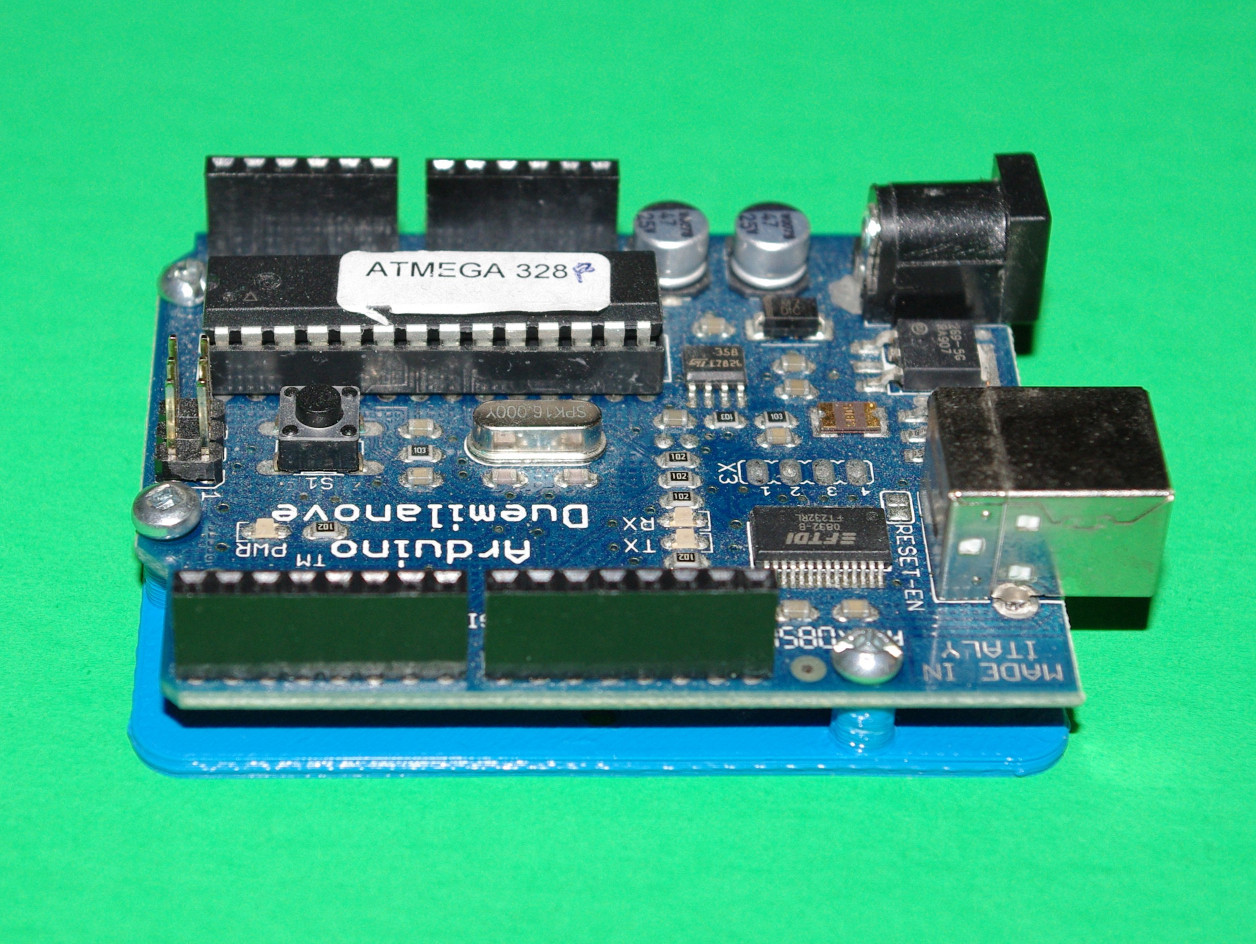
Arduino UNO / Duemilanove / Diecimila / Leonardo Drilling And Mounting Plates
April 20, 2015
· admin
3D Printing
object
This thing contains a mounting plate and a drilling guide for the “Arduino UNO / Duemilanove / Diecimila / Leonardo / NG / Extreme”.
The plates are not symmetrical. The notch shall be on the power jack and ethernet cable side. The base plate is 2 mm thick. M2 5 mm or 1/4″ 4-40 screws are needed to fasten the board to the mounting plate. The mounting holes are three mm in diameter.
The holes do not go through the lower layer to make it easier to print. You will have to drill them.
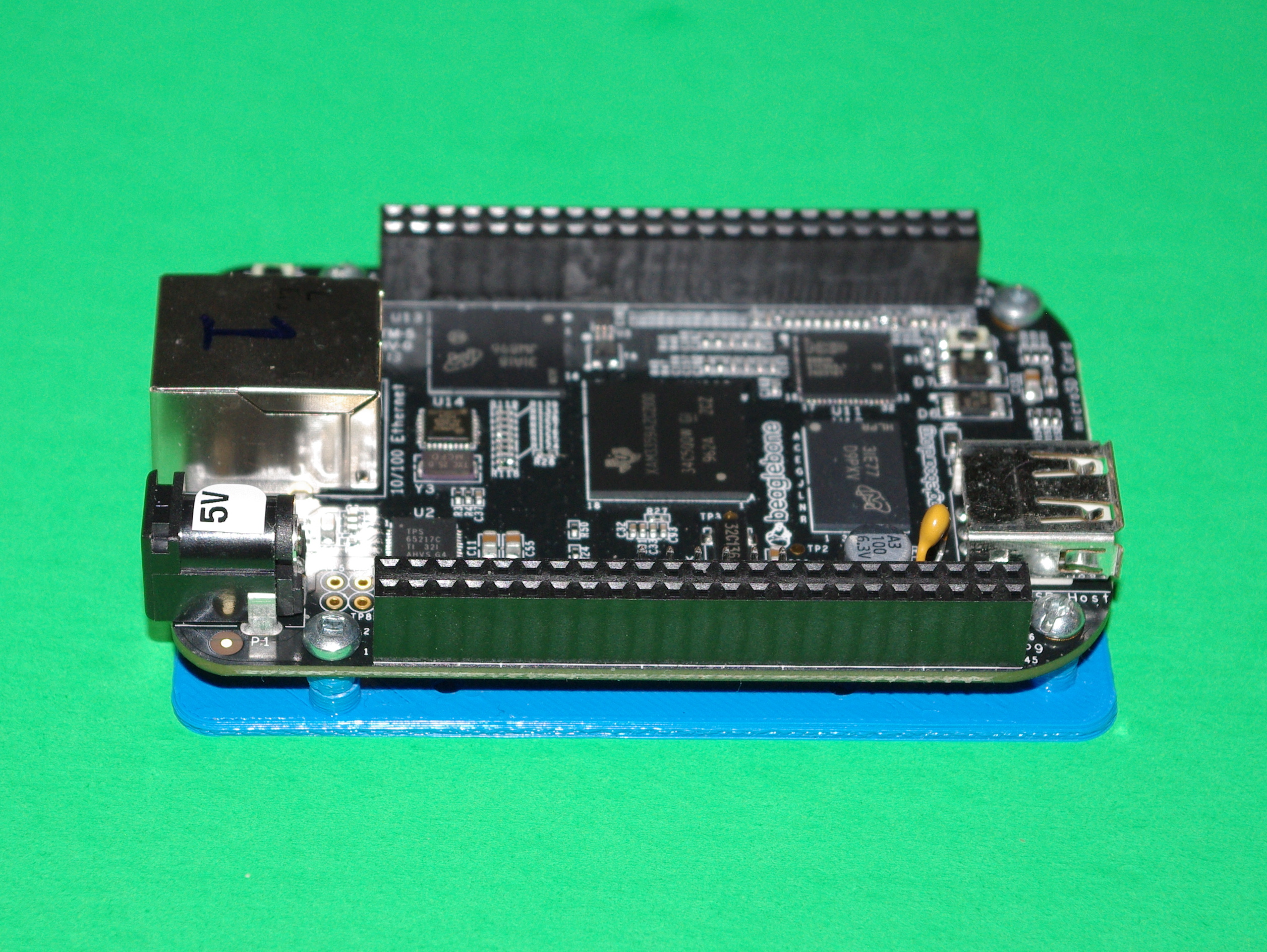
Beaglebone Black Drilling And Mounting Plates
April 19, 2015
· admin
3D Printing
object
This thing contains a mounting plate and a drilling guide for the “Beaglebone Black”.
The plates are not symmetrical. The notch shall be on the power jack and ethernet cable side. The base plate is 2 mm thick. M2 5 mm or 1/4″ 4-40 screws are needed to fasten the board to the mounting plate. The mounting holes are three mm in diameter.
The holes do not go through the lower layer to make it easier to print. You will have to drill them.