

Parametric Screw to Zip Tie Adapter
July 24, 2016
· admin
3D Printing
object
This is a simple parametric adapter that lets you mount a device designed for screws with a Zip Tie. You do not need to make holes in the thing holding the device.

Customizable Small Linear Carriage
July 17, 2016
· admin
3D Printing
object
This is a Customizable Small Linear Carriage Generator. This set of files generate the printable parts needed to build a small linear carriage. This carriage is designed to be a Z axis carriage while Customizable Linear Carriage Generator is the Y axis. The X axis will be uploaded soon. It can be heavily customized.
The Libre Office Calc file is used to compute some key values needed to create the printable parts. Some resulting values have a variable name on the right. These values shall be copied into the Parameters.scad file. It is the only OpenScad file that contains modifiable parameters.
Once you have customized the parameters in Parameters.scad, open the files "Front Plate.scad", "Motor Mount.scad" and "BearingHousingMount.scad" with OpenScad, render them and export the three models. Before printing or cutting material, verify carefully the overall part sizes. Invalid parts may be generated if incoherent values are inputted.
The value given in the given files are for:
20 x 20 mm V-SLOT™ Linear rail (337 mm in length)
1 Nema17 stepper motor (17HS8401)
4 Delrin V Wheel™ Kit with spacers
1 8 mm lead screw (four starts) easily available from Chinese suppliers
1 flexible 8mm - 5mm coupler
2 608ZZ bearings with a 8 mm washer
2 T-Slot inserts with the required M5 screws (10 mm)
4 M3 screws to mount the motor (8 mm)
5 M5 screws and nuts to mount the V Wheels (25 mm)
2 M3 screws and nuts to mount the nut bracket. (10 mm)
Mount the bearing housing without the bearing in the housing first.
Extrusion Rail Customizable Fastener
March 27, 2016
· admin
3D Printing
object
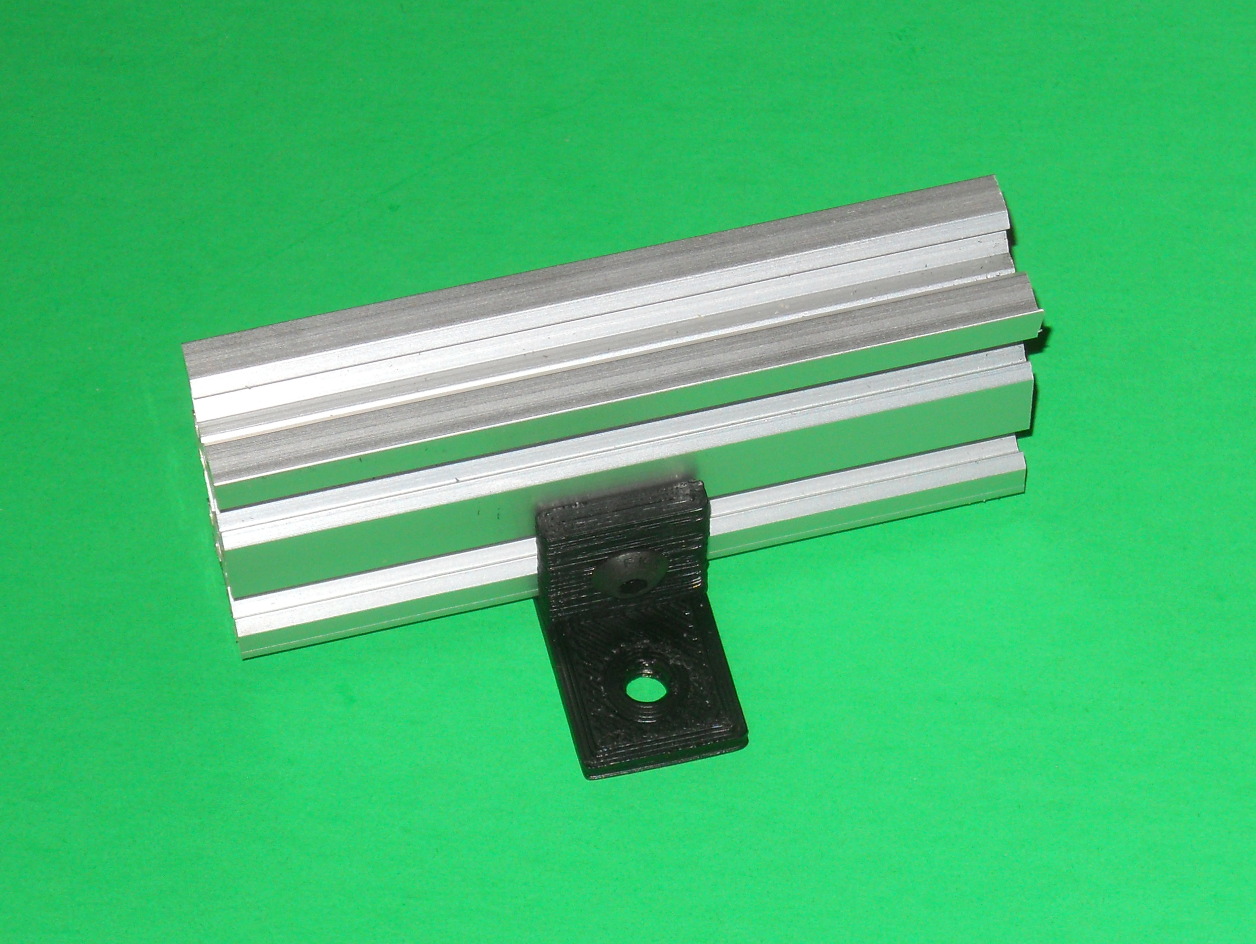
The purpose of this bracket is to fasten an extrusion rail such as V-SLOT™ to a surface. For example, these are used to fasten the Customizable Linear Carriage Generator (http://www.thingiverse.com/thing:1411601) to the wooden base of the device.
To generate this bracket, open the "Parameters.scad" file with OpenScad and modify the parameters to suit your needs. The parameter extraExtrusionHeight rises further more the extrusion. Open "Extrusion Mounting Bracket.scad" with OpenScad, render it, export the model and print it.
You will need a T-Slot insert and a screw to fasten it to the extrusion rail.
Customizable Linear Carriage Generator
March 19, 2016
· admin
3D Printing
object
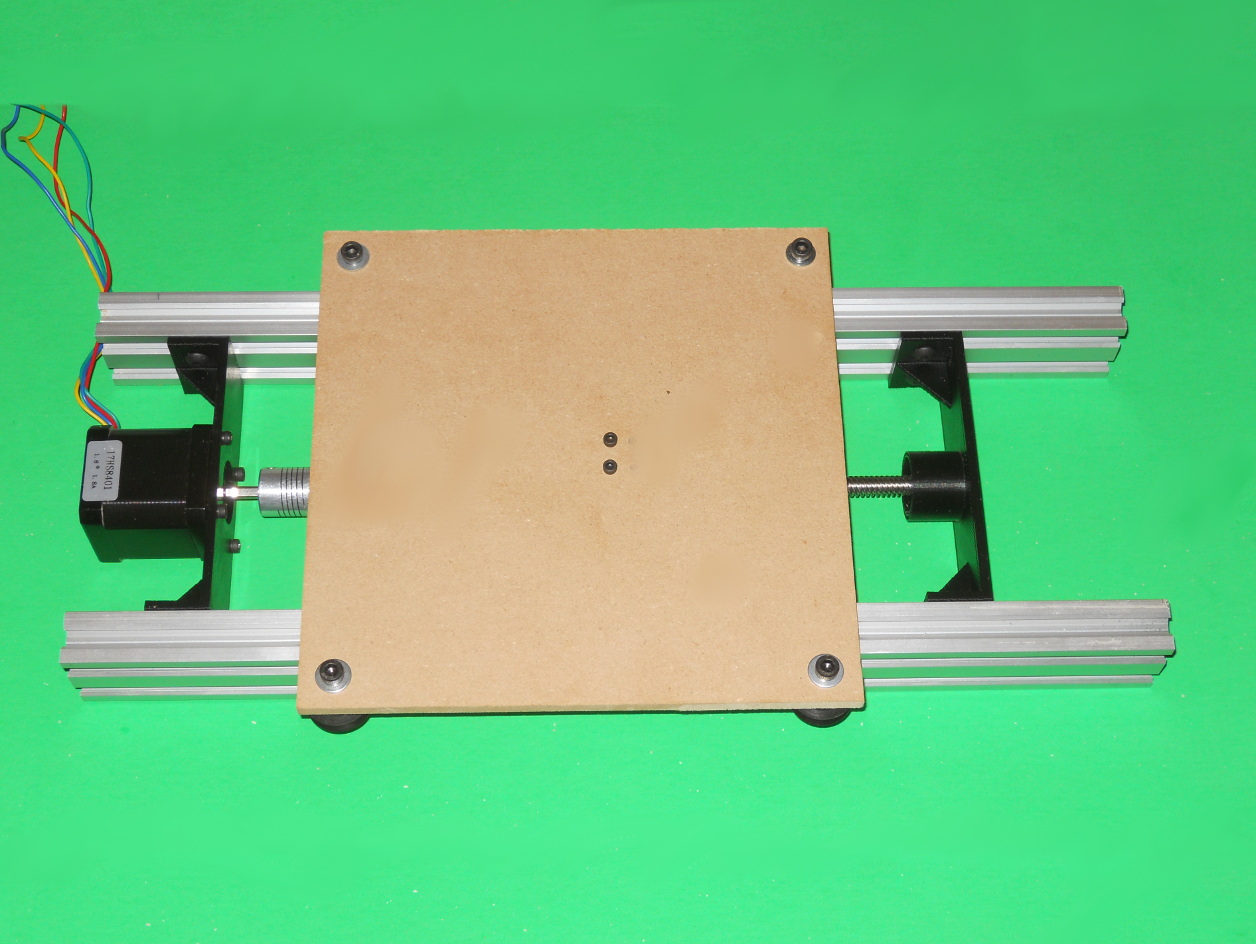
This set of files generate the printable parts needed to build a linear carriage. It can be heavily customized.
The Libre Office Calc file is used to compute some key values needed to create the printable parts. Some resulting values have a variable name on the right. These values shall be copied into the Parameters.scad file. It is the only OpenScad file that contains modifiable parameters.
Once you have customized the parameters in Parameters.scad, open the files "Linear Carriage Double Track Bearing Mount.scad", "Linear Carriage Double Track Motor Mount.scad" and "NutBracket.scad" with OpenScad, render them and export the three model. Before printing or cutting material, verify carefully the overall part sizes. Invalid parts may be generated if incoherent values are inputted.
The value given in the files are for:
Parametric utility box
February 21, 2016
· admin
3D Printing
object
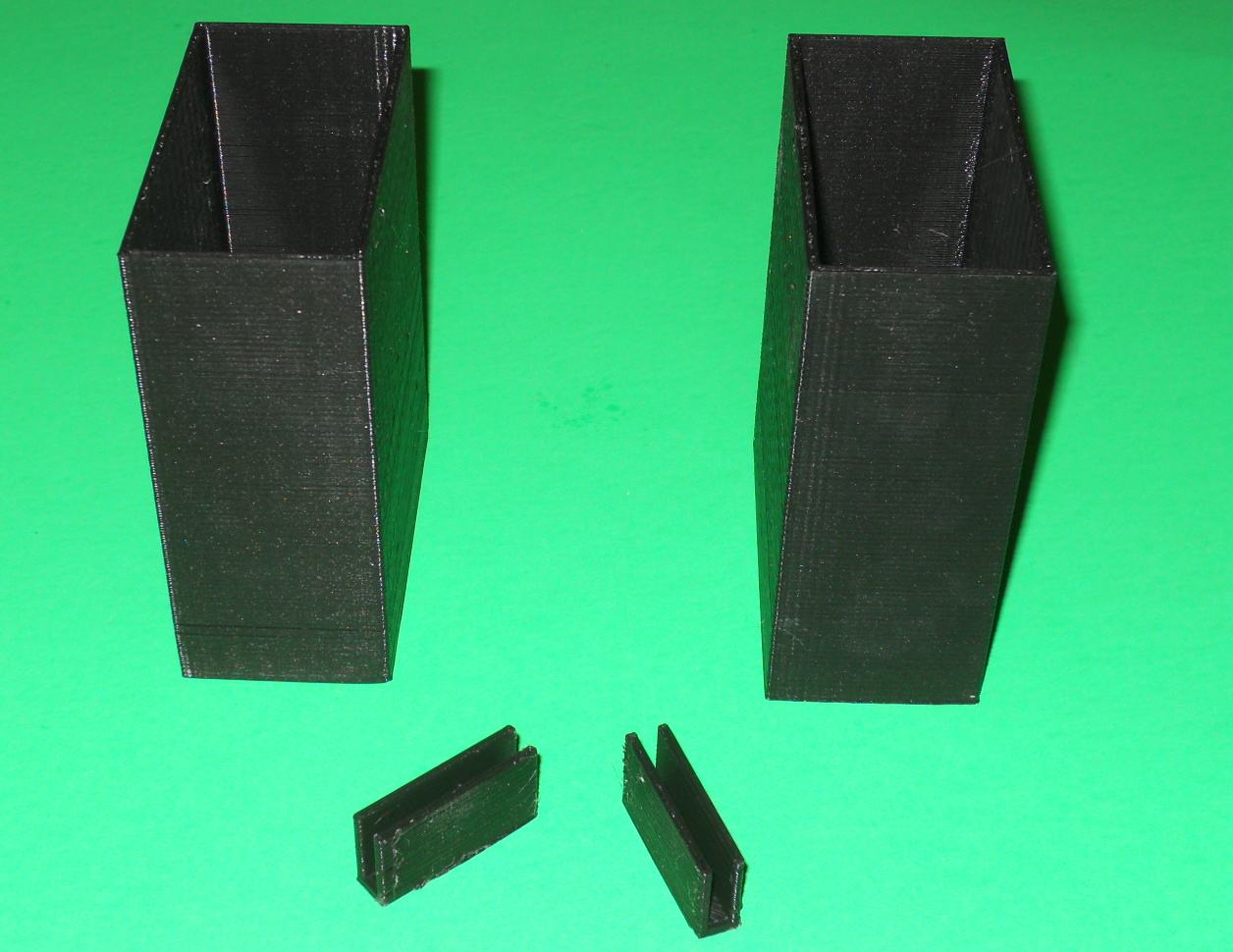
This object is a parametric utility box with a bracket to join them together either by their sides or fronts. Sample STL files have been provided, which yield a box of 75 mm in width, 40 mm in depth and 100 mm in height along with both joining brackets.
To customize these boxes, you will need to install OpenScad. The parameters that need to be customized are all in "Parameters.scad" file. Open the "Box.scad, "SideClip.scad" and "FrontClip.scad" with OpenScad and generate the corresponding STL files.
TRENDnet TK-207K KVM Mounting Bracket
August 28, 2015
· admin
3D Printing
object
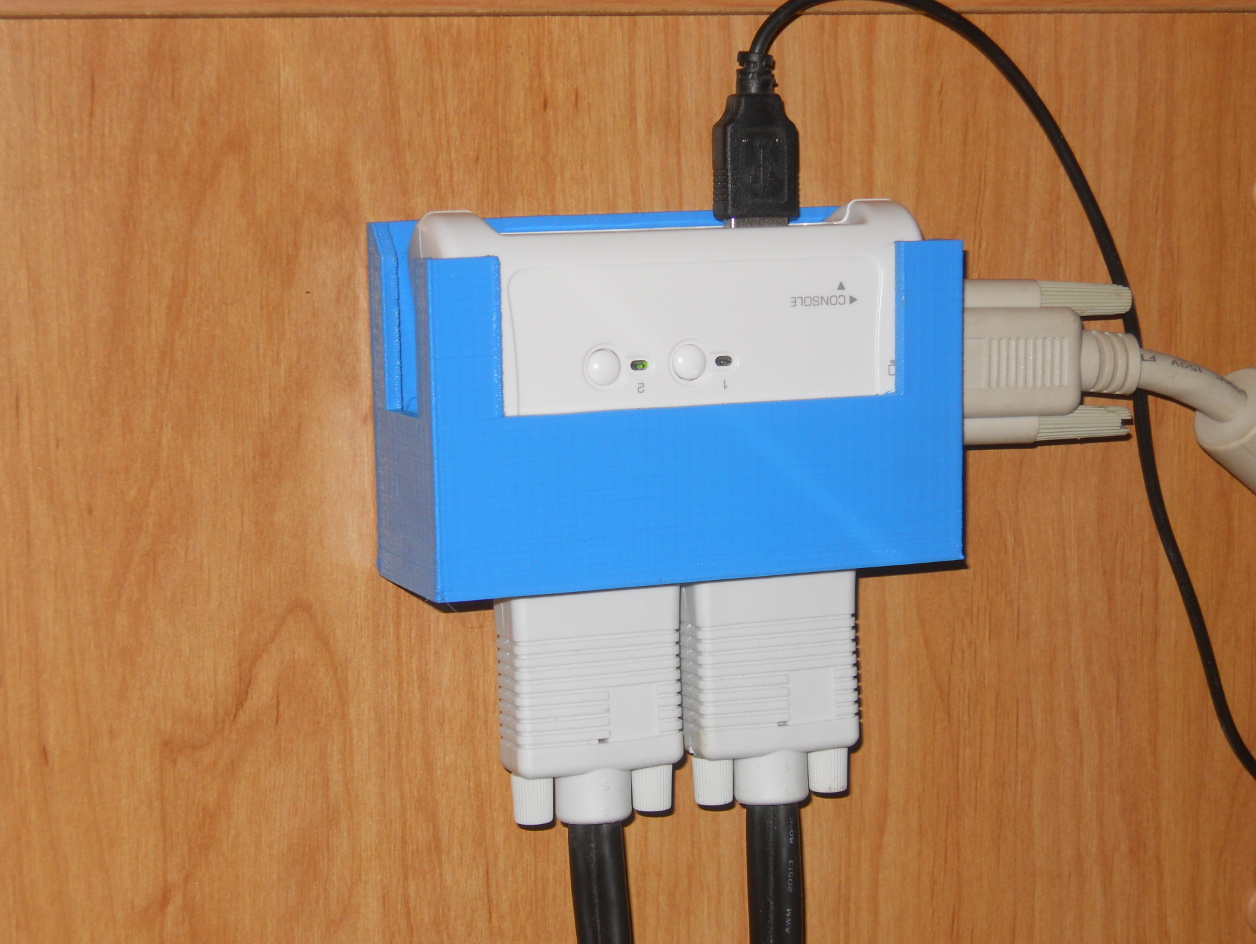
This is a mounting bracket for the TRENDnet TK-207K KVM. It is a 2-Port USB KVM Switch. The device labeling is upside down. I preferred to have the heavy cables downward.
This model is also published on Thingiverse.
Cable Hanger for Doors
August 9, 2015
· admin
3D Printing
object
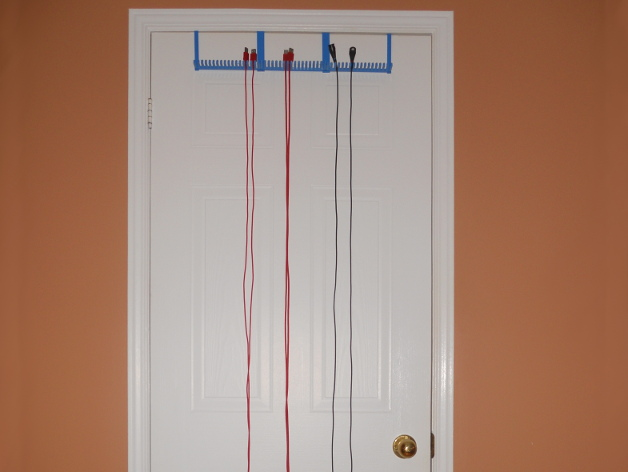
This kit of 3D objects makes a cable hanger to be hooked to a door without screws. It is suitable for 6 feet cables assuming that the door is 80 inches high. Each cable holder section has 18 teeth or 17 grooves. Each groove is 3 cm deep. One cable holder section is 17.5 cm wide. A two mm clearance is required between the door's top and the door frame.
You will need to print a least one "Door Hook Left.stl", one "Door Hook Right.stl" and one "Cable Holder.stl". You can employ more than one "Cable Holder.stl". For each supplementary "Cable Holder.stl" used, you will need to print one "Door Hook Middle.stl".
On the picture, there is:
1 x "Door Hook Left.stl"
1 x "Door Hook Right.stl"
3 x "Cable Holder.stl"
2 x "Door Hook Middle.stl"
Glue may be required to assemble the Cable Hanger together.
Raspberry Pi Model B+ Drilling And Mounting Plates
April 22, 2015
· admin
3D Printing
object
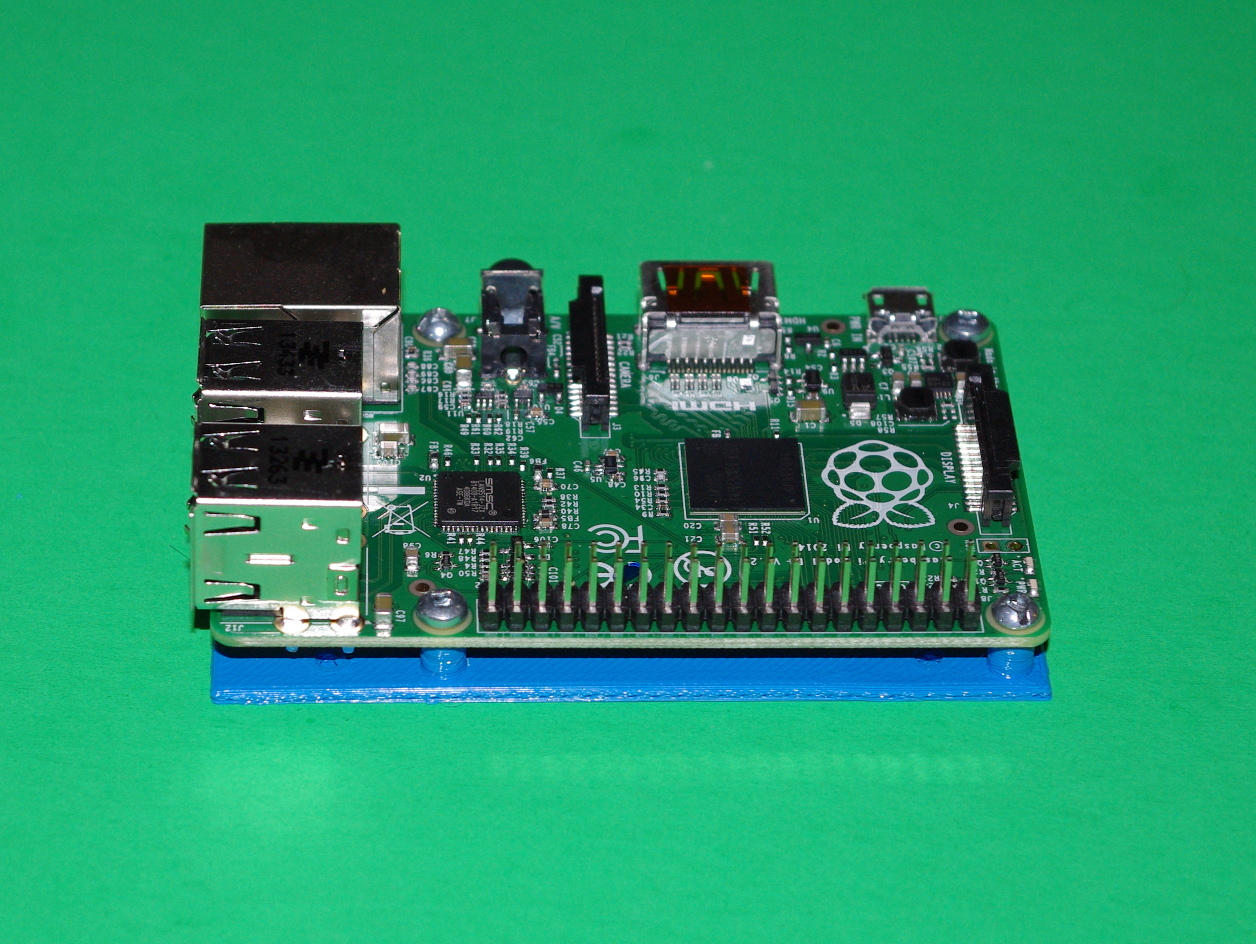
This thing contains a mounting plate and a drilling guide for the “Raspberry Pi Model B+”.
The plates are not symmetrical. The notch shall be on the power jack and ethernet cable side. The base plate is 2 mm thick. M2 5 mm or 1/4″ 4-40 screws are needed to fasten the board to the mounting plate. The mounting holes are three mm in diameter.
The holes do not go through the lower layer to make it easier to print. You will have to drill them.
Raspberry Pi Model B Drilling And Mounting Plates
April 21, 2015
· admin
3D Printing
object
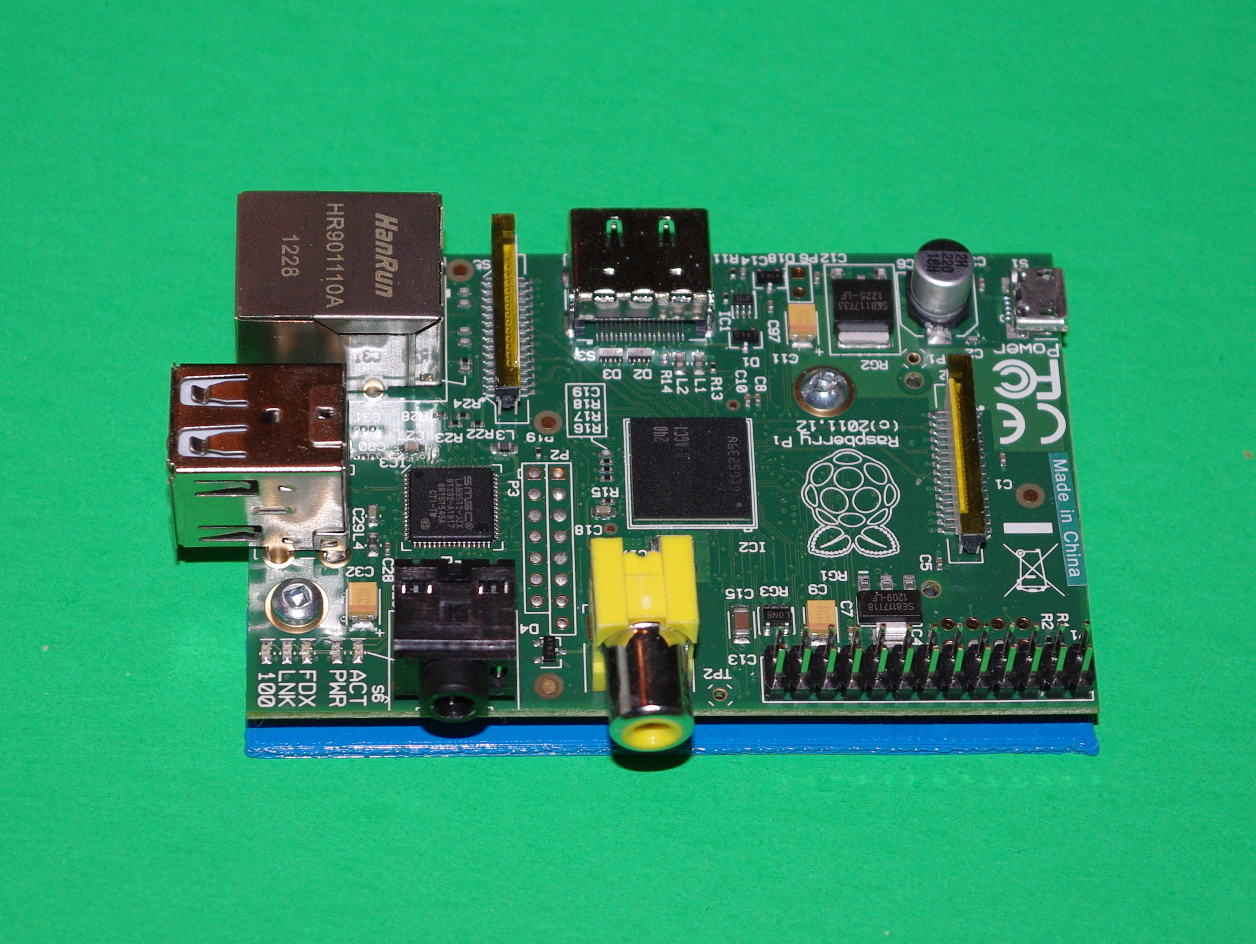
This thing contains a mounting plate and a drilling guide for the “Raspberry Pi Model B”.
The plates are not symmetrical. The notch shall be on the power jack and ethernet cable side. The base plate is 2 mm thick. M2 5 mm or 1/4″ 4-40 screws are needed to fasten the board to the mounting plate. The mounting holes are three mm in diameter.
The holes do not go through the lower layer to make it easier to print. You will have to drill them.
Arduino Mega / Mega 2560 / Due Drilling And Mounting Plates
April 20, 2015
· admin
3D Printing
object
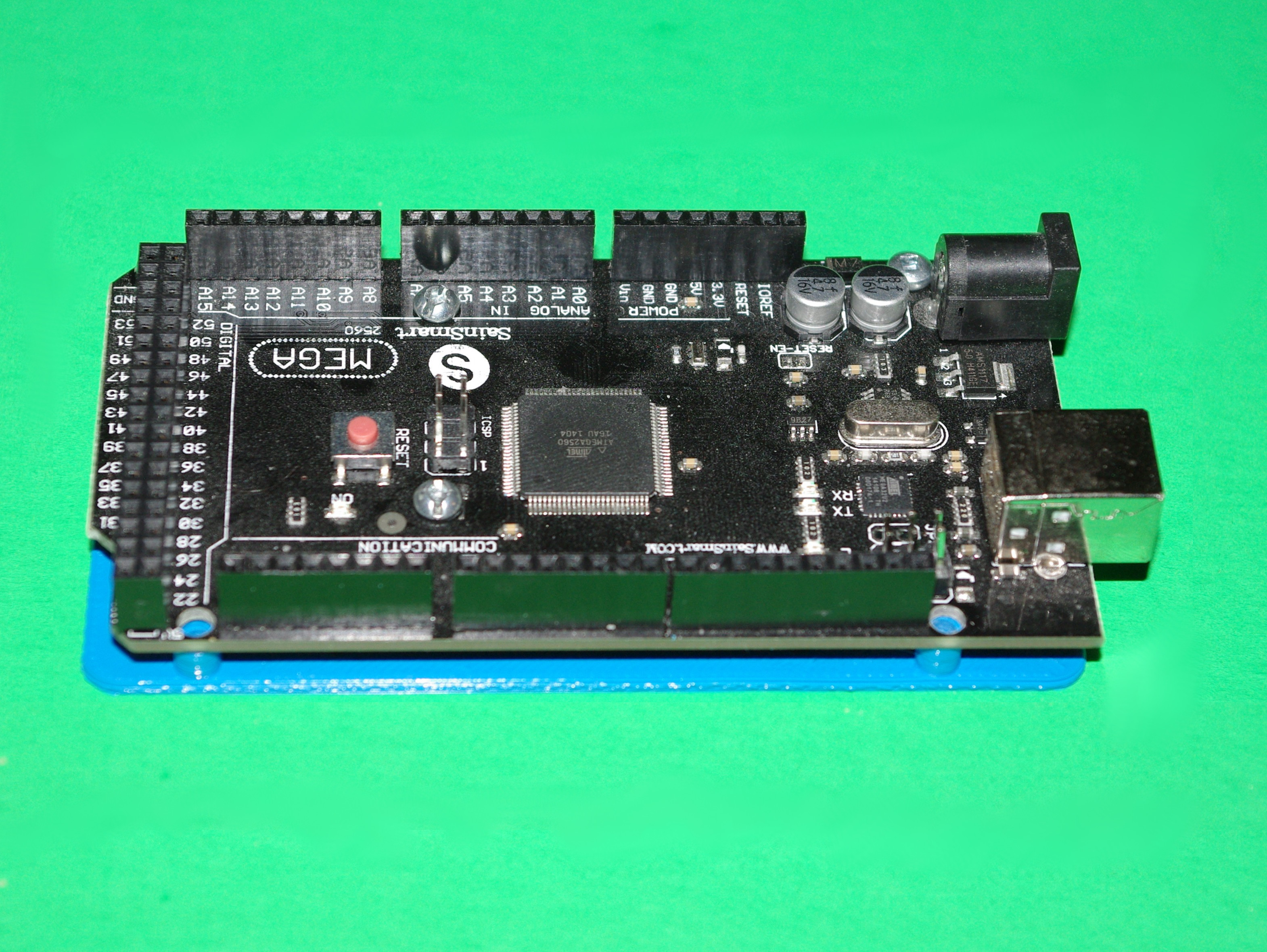
This thing contains a mounting plate and a drilling guide for the “Arduino Mega / Mega 2560 / Due”.
The plates are not symmetrical. The notch shall be on the power jack and ethernet cable side. The base plate is 2 mm thick. M2 5 mm or 1/4″ 4-40 screws are needed to fasten the board to the mounting plate. The mounting holes are three mm in diameter.
The holes do not go through the lower layer to make it easier to print. You will have to drill them.
The post near pins 21-22 on Arduino\_Mega\_Mounting\_Plate.stl is one mm lower. This was needed because of the nearby soldering pads. The V2 version has a 5 mm post like the others.
Tags
- All
- 3D Printing
- ABS
- Android
- apache
- Arduino
- ARPI600
- ASUS
- automation
- Battlefield
- Blogroll
- Certificate
- Chrome
- Cree
- Cura
- Database
- Debian
- Eclipse
- Electronic Component
- ESP8266
- Firewall
- Games
- GCode
- General
- GIT
- GitHub
- GO2NFC
- Handbrake
- Hardware
- Internet of Things
- IoT
- Java Applets
- Linux
- MAC OS X
- Management
- Mantis
- Marlin
- memcache
- Mountain Lion
- MySQL
- Networking
- NodeMCU
- NVIM
- object
- Octoprint
- openssl
- Photos
- PHP
- phpMyAdmin
- PN532
- postfix
- Prusa Mendel
- Ralink
- Raspberry PI
- RaspberryPI
- Raspbian
- Router
- RT5572
- SSH
- STM32
- Tomcat
- Trinket
- Ubuntu
- Ubuntu 11.04
- Ubuntu 11.10
- Ubuntu 12.04
- Ubuntu 14.04
- Ubuntu 15.04
- Ubuntu 20.04
- Unity
- Unix
- Video
- Virtual Box
- Wheezy
- WiFI
- Windows
- Windows 8
- Wink
- WordPress