

Make nvim-tree width dynamic
May 26, 2025
· admin
Unix
Ubuntu
Ubuntu 20.04
NVIM
Create a file named ~/.config/nvim/lua/plugins/nvim-tree.lua and put the following content:

Create a swap file on Linux
The simple following steps will create a swap file. Swap files are used when the operating system need more memory. It uses the swap space as memory. Its usage shall be limited, since a swap space is less efficient than memory. It will save you a memory upgrade if it is need seldomly.

Mount a BitLocker partition on a Linux system
This post explains how to mount a BitLocker partition on a Linux system. You'll need the BitLocker recovery key to do so, along with the device file (/dev/sd?) of the BitLocker encrypted partition. The post http://www.ctheroux.com/mount-a-partition-from-a-full-disk-image-file-on-linux/ shows how to create one if the partition is within a full disk image file.
Mount a partition from a full disk image file on Linux
This post explains how to mount a partition from a disk image file on a Linux system. Such a file may have been created using the dd command. The disk image file in this example is named windowsws.img. This is the image of a disk that contains a Windows system. Let's say we want to mount the partition that contains the OS and the user's file.
Linux whole data disk encryption
This post give the main steps to achieve full data disk encryption. The disk password will be required during boot time. You will need the device name of the disk to perform this procedure. MAKE SURE YOU HAVE THE RIGHT DEVICE NAME. OTHERWISE, YOU WILL LOSE DATA!!! We will use the device /dev/sdz below. This procedure is valid only for data disk.

Port forwarding using SSH
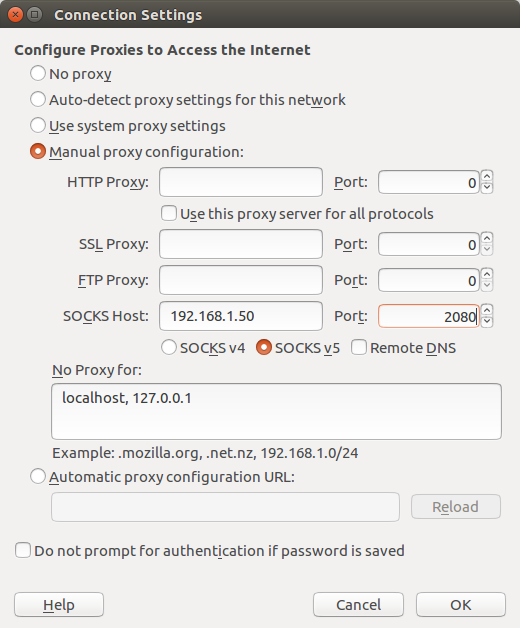
SSH port forwarding let you connect to a server using another server a relay.
For example, if you host a web server in a DMZ behind your office router, you will not be able to access it using its public URL if your workstation is behind the same router.
You can easily implement a workaround if you have access to a server on the Internet. Issue this command on one of the machines connected on the same network as your workstation.
How about a Raspberry PI 2 as a firewall?
August 26, 2015
· admin
Unix
Raspberry PI
Wheezy
Networking
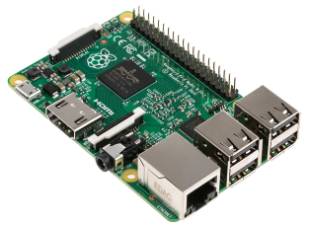
A Raspberry PI 2 performs as expected exceptionally well as a firewall. The download throughput achieved was 33 Mbits/sec under the same test conditions as the previous test (see Can A Raspberry PI Be Used As A Firewall? for more details). The CPU usage was about 5% during the download test. The CPU usage was around 2% while performing the upload test.
Tags
- All
- 3D Printing
- ABS
- Android
- apache
- Arduino
- ARPI600
- ASUS
- automation
- Battlefield
- Blogroll
- Certificate
- Chrome
- Cree
- Cura
- Database
- Debian
- Eclipse
- Electronic Component
- ESP8266
- Firewall
- Games
- GCode
- General
- GIT
- GitHub
- GO2NFC
- Handbrake
- Hardware
- Internet of Things
- IoT
- Java Applets
- Linux
- MAC OS X
- Management
- Mantis
- Marlin
- memcache
- Mountain Lion
- MySQL
- Networking
- NodeMCU
- NVIM
- object
- Octoprint
- openssl
- Photos
- PHP
- phpMyAdmin
- PN532
- postfix
- Prusa Mendel
- Ralink
- Raspberry PI
- RaspberryPI
- Raspbian
- Router
- RT5572
- SSH
- STM32
- Tomcat
- Trinket
- Ubuntu
- Ubuntu 11.04
- Ubuntu 11.10
- Ubuntu 12.04
- Ubuntu 14.04
- Ubuntu 15.04
- Ubuntu 20.04
- Unity
- Unix
- Video
- Virtual Box
- Wheezy
- WiFI
- Windows
- Windows 8
- Wink
- WordPress