
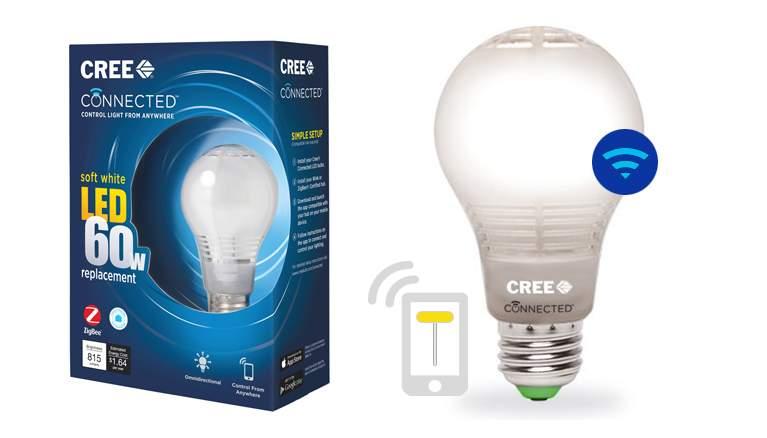
Hard reset a Cree Connected light bulb
September 23, 2015
· admin
automation
Wink
Cree
I acquired a few days ago a Wink Hub along with a few Cree Connected light bulbs. I couldn't pair them. Out of 5 bulbs, I was able to pair only one of them! After reading many posts on the Internet, I have made sure that the Wink Hub is not near my router, the light bulb was in range of the Wink Hub, and so on. I found out that one possible solution was to reset the light bulbs. I found the same recipe on many web sites, which were saying: "Turn the bulb off for 2 seconds, then on for 2 seconds. Repeat three more times. After the fourth cycle, the bulb will flash, indicating that the reset was successful." It wasn't working.
I contacted the technical support of Wink. They gave me the following method which worked right away. The method they gave me is:
1. Begin with the bulb turned off
2. Turn the bulb ON for 1 second
3. Turn the bulb OFF for 2 seconds
4. Repeat steps 2 and 3 until the bulb momentarily dims (about 4 or 5 times)
5. It will only dim for a second, signaling that it has been factory reset
Notice on step 2, 1 second, not 2. I could pair my 4 other bulbs without any problem.
Tags
- All
- 3D Printing
- ABS
- Android
- apache
- Arduino
- ARPI600
- ASUS
- automation
- Battlefield
- Blogroll
- Certificate
- Chrome
- Cree
- Cura
- Database
- Debian
- Eclipse
- Electronic Component
- ESP8266
- Firewall
- Games
- GCode
- General
- GIT
- GitHub
- GO2NFC
- Handbrake
- Hardware
- Internet of Things
- IoT
- Java Applets
- Linux
- MAC OS X
- Management
- Mantis
- Marlin
- memcache
- Mountain Lion
- MySQL
- Networking
- NodeMCU
- NVIM
- object
- Octoprint
- openssl
- Photos
- PHP
- phpMyAdmin
- PN532
- postfix
- Prusa Mendel
- Ralink
- Raspberry PI
- RaspberryPI
- Raspbian
- Router
- RT5572
- SSH
- STM32
- Tomcat
- Trinket
- Ubuntu
- Ubuntu 11.04
- Ubuntu 11.10
- Ubuntu 12.04
- Ubuntu 14.04
- Ubuntu 15.04
- Ubuntu 20.04
- Unity
- Unix
- Video
- Virtual Box
- Wheezy
- WiFI
- Windows
- Windows 8
- Wink
- WordPress